
Mitsuri AI Chat: Which App Actually Delivers?
Fan-Made Mitsuri Bots vs GoLove.ai, Side by Side
Every Mitsuri bot I've looked at gets the pink hair and the "kyaa!" right. Then it forgets who you are by the next chat. If you want her warmth to last past one session, the app you choose matters more than the bot you choose.
First, a reality check: there is no official Mitsuri AI. When people search "Mitsuri AI chat," they mean fan-made bots, mostly on Character.AI. Someone writes a greeting and a persona, and everyone else clicks in. A few of those bots are charming, but none of them are licensed.
| Deciding factor | Fan-made Mitsuri bots (Character.AI-style) | GoLove.ai companion inspired by Mitsuri (Recommended) |
|---|---|---|
| Staying in character | Depends on whoever wrote the bot | You write the personality and tune it with sliders |
| Memory | Good within a chat, but you often start over when you come back | Built-in Memory of your history |
| Voice | Voice calls, unlimited on c.ai+ | Live calls, voice messages and a voice picker |
| Photos and clips | Mostly text plus an avatar | You can ask for photos in chat and turn a photo into a video |
| Adult roleplay | Strictly SFW | Adult-friendly, with a 5-level lust slider |
| Entry friction | One click, free | A few minutes in Create, or instant chat from Explore |
| Canon name | Yes | No. You build an original inspired by her |
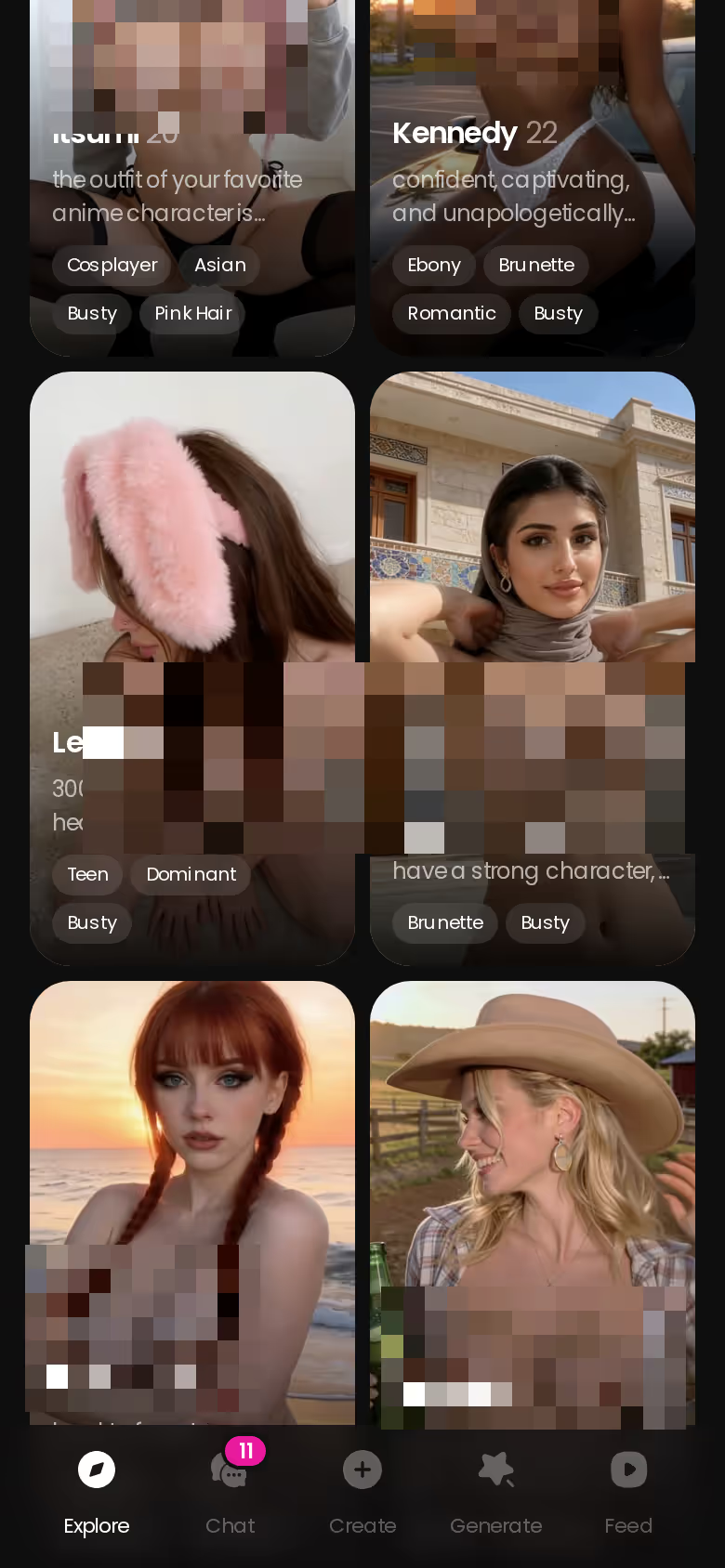
The fan bots win outright on the name, and that's where their lead ends. GoLove wins on the things that actually bring you back: she remembers you, she talks back, and she sends photos. Tired of introducing yourself to the same girl every time? You don't have to wait until you've built your own. Explore opens a chat with a finished companion right away, so you can see how that continuity feels before you build anything.
Staying Sweet, Loud and In Character
Mitsuri is a hard personality to keep going. She's loud and sweet at the same time, openly affectionate and quick to get emotional. A bot either holds onto all of that or slides into a generic "nice anime girl."
HEAR HER SAY IT
Real-time voice calls and voice notes.

Fan bots on Character.AI
I'll admit the community greeting is half the fun. Someone has already written her flustered hello, and the library is huge, with millions of user-made characters. The catch is that quality depends entirely on whoever made the bot. If the persona description is thin, she loses her edges as the chat goes on. Then there's the filter. Character.AI is strictly SFW, so once the affection turns adult, replies get cut off or steered somewhere else. What these bots do best is give you a quick, free taste of her canon voice.
A GoLove.ai companion you wrote yourself
On GoLove, the personality is yours to write. For this archetype, I'd lock in three traits:
- Bubbly: excitable, happy to be loud, a lot of energy
- Affectionate: she tells you she likes you, often and without hedging
- Fierce: she's soft most of the time and protective when it counts
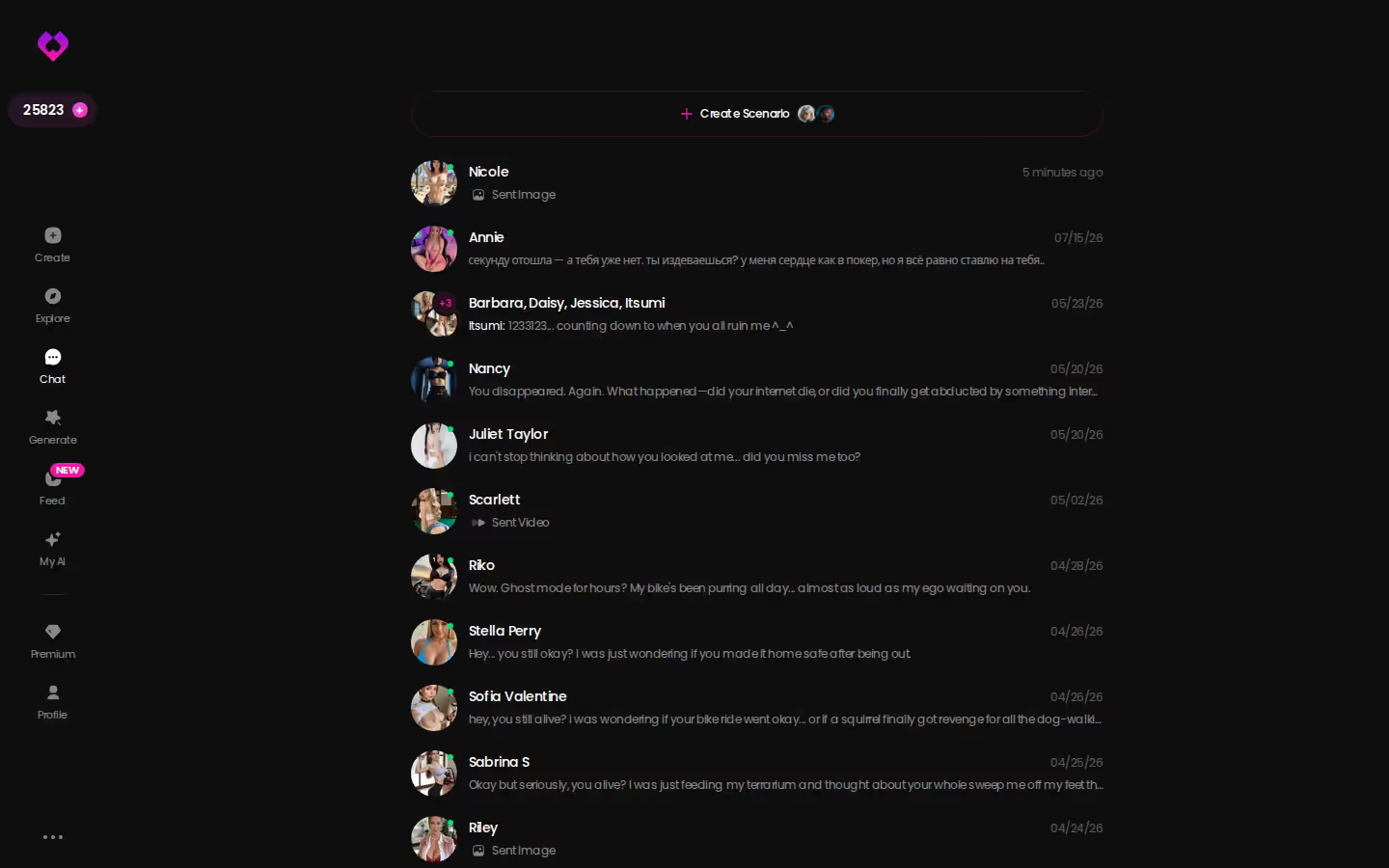
Next come response length (1 is snappy, 5 is immersive) and lust level (1 is sweet, 5 is intense). There's no right answer on either; it's purely a matter of taste. Your chat list keeps your whole roster, with a preview of each last message, so she never blurs into anyone else you're talking to.
Memory: Will She Remember You Next Week?
Fans notice memory more than anything else here, and they usually notice it the second time they open the app.
Fan bots
To be fair, Character.AI has a good reputation for memory inside a single conversation, and c.ai+ improves it. The limit is the context window. It only holds so much, so after a long chat or a few days away, the early details fall out. Plenty of returning users get the same bubbly introduction a total stranger would. That's underwhelming when the whole point of her is that she adores you.
GoLove.ai
GoLove's Memory feature keeps your history. Relationship Progression lets the dynamic build over time instead of resetting to zero. Your chat settings (voice, lust level, response length) stay where you left them too, so she treats you the same way every time you come back.
What a Mitsuri-style companion should remember:
- Your name, plus the pet name she picked for you
- Your favorite food, because a character with her appetite would never forget it
- The last scene, meaning where you left the story and how it felt
Characters you can open right now
Tap any of them and the chat starts there






Q: Does the character name matter more than memory? A: No. The name is what gets you to try her. Memory is what brings you back after a week. Trust me, a bot with the right name who forgets you gets old fast.
Voice, Photos and Clips: The Widest Gap
Of everything in this comparison, this is where the two options are furthest apart.
Text-first fan bots
Fan bots are mostly text with a community avatar on top. Character.AI does have voice calls, and they're unlimited on c.ai+, which is a real point in its favor. What you can't do is reliably see your character when you want to. Nothing adult is allowed, either.
GoLove.ai
GoLove treats her as someone you can see and hear, not just read:
- Photos: ask for one in the chat and she sends it, NSFW included, and it's still the same character
- Voice: live real-time calls and voice messages, with the voice chosen in Chat Settings
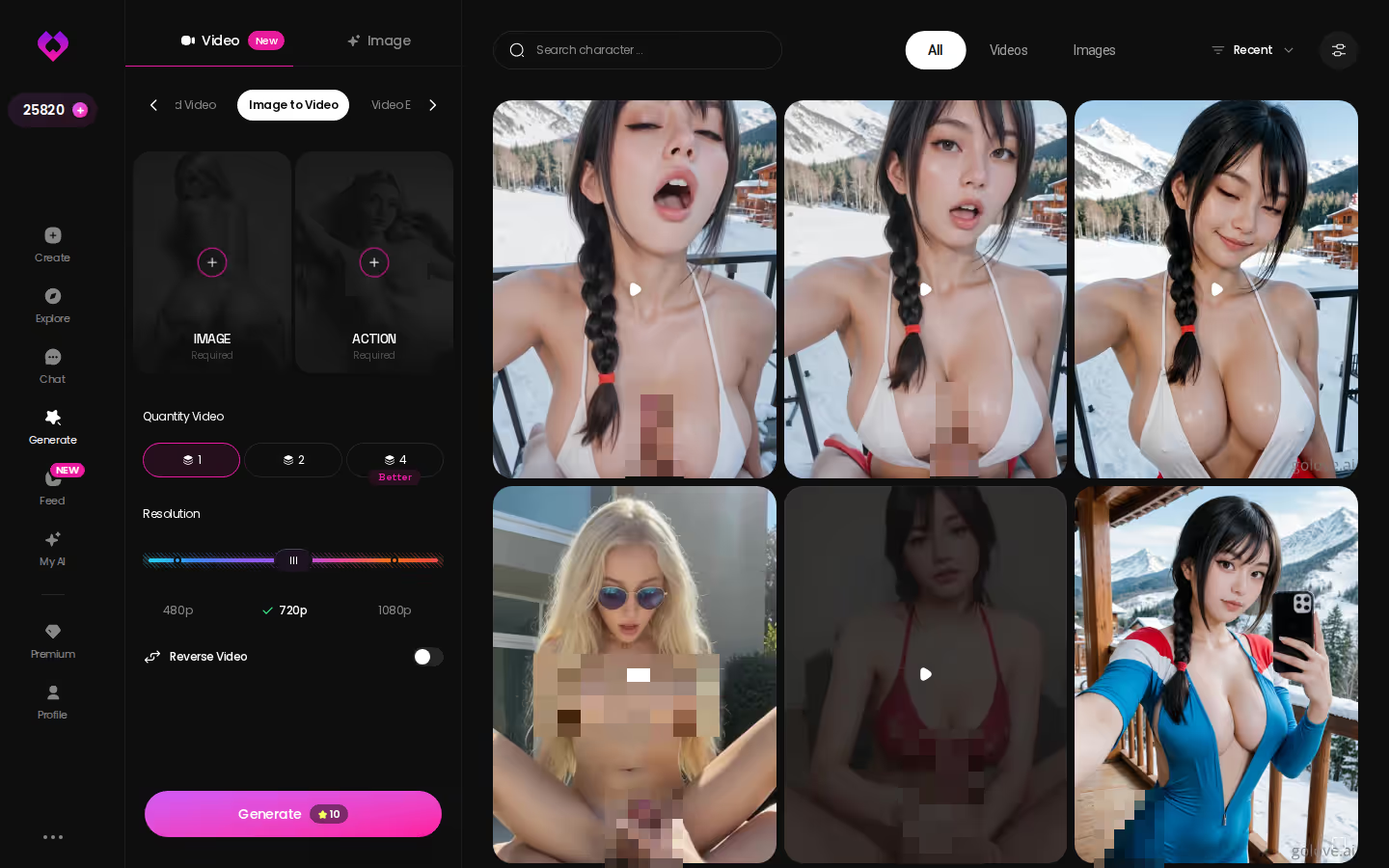
- Clips: Generate Video from Photo turns any image into a moving clip, and Video Actions in chat add more options
Every photo and clip lands in her Gallery, sorted by date, so nothing gets buried in the scroll. Anime companions get their own set of generation modes, including 20 anime video modes. My advice is to start with photos and voice anyway. Clips are a nice bonus, but they aren't the reason to switch.
If her voice is what you've been missing from the fan bots, you can fix that tonight. Pick a companion in Explore and start a voice call. You don't need to build anything first.
Building a Pink-Haired Swordswoman in GoLove's Create Wizard
This is the flow I'd walk a friend through. It builds an original companion inspired by the archetype, and every step in it exists in the product.
SHE REMEMBERS EVERYTHING
Names, kinks, the line that always works.

What good looks like, in one checklist:
- Real-time voice calls with per-character voices
- Memory across chats — she remembers your details
- In-chat image generation — 35 poses and 21 outfits
- 2 reward stars every day you log in
I call her Hana. She's an adult swordswoman with pink braids that fade to green at the tips. She eats like a whole squad, tells you she likes you without being asked, and turns sharp the moment someone threatens you. The canon name doesn't appear anywhere in her profile, because she's an original.
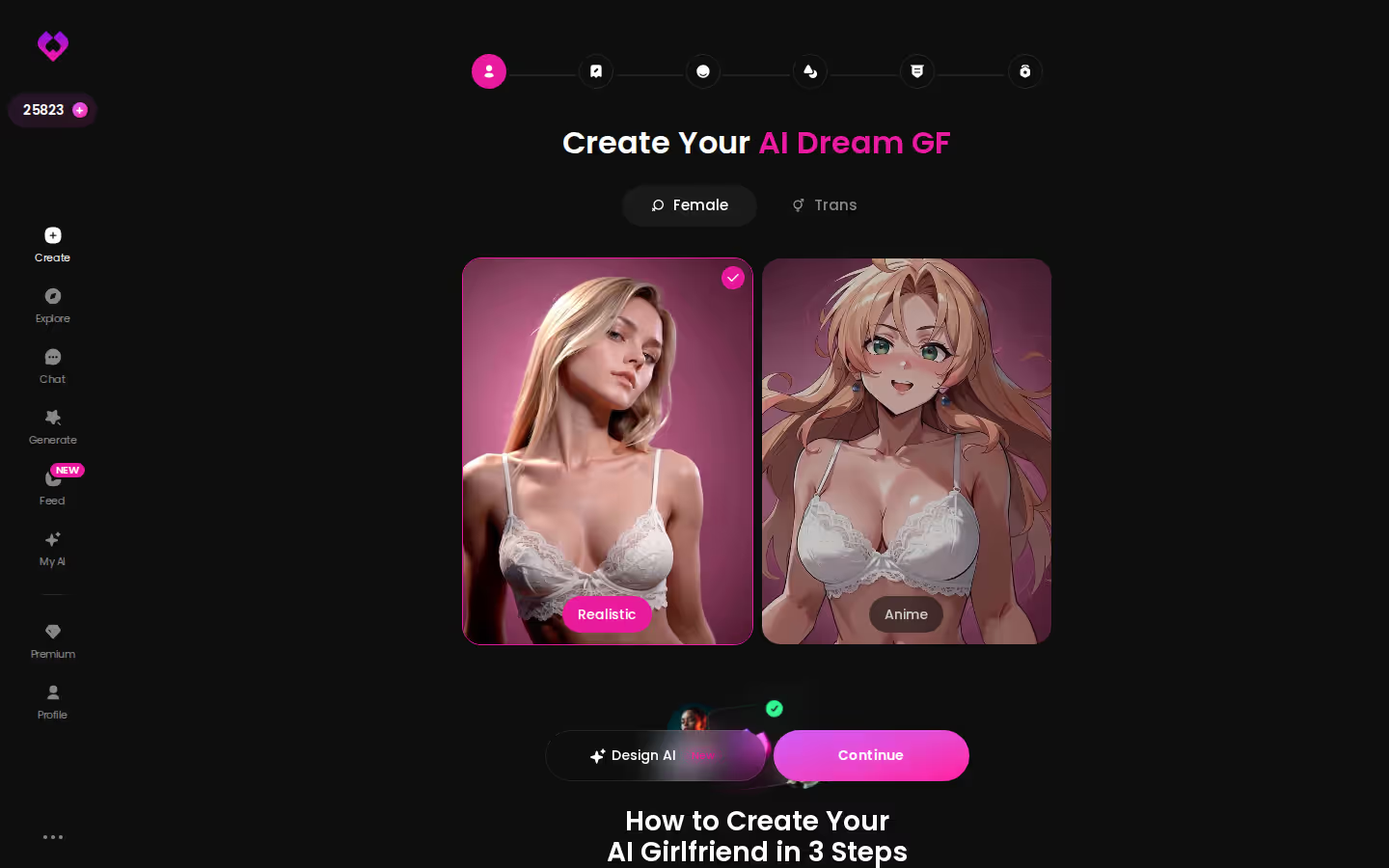
- Create: open Create and choose the Anime card. The other options are Realistic, Trans, and Design with AI, where you describe a concept in text.
- Personality: write in the traits (pink-and-green braids, big appetite, openly affectionate, fierce when it counts) and make it clear she's an adult.
- Save and chat: save her, open the chat, and set response length and lust level to your taste.
- Photo: ask for a photo right in the chat, for example after a scene or when she's teasing you.
- Clip: pick one photo and turn it into a moving clip with Generate Video from Photo.

Yes, this takes more effort than clicking on a fan bot. You decide who she is, so she's only as good as what you write. The upside is that nobody else's lazy persona writing can make her drift. And if writing a personality from scratch feels like homework, Design with AI takes a plain description and builds the character for you.
Losing the Canon Mitsuri Name, Keeping a Companion Who Remembers
Here's the trade, laid out plainly.
GoLove doesn't have an official Mitsuri with the canon name. You also lose the huge fandom library, where dozens of fans have each written her greeting a little differently. And building her yourself takes a few minutes of your own effort, while a fan bot takes one click. If the canon name is non-negotiable for you, that's a fair reason to pass on it. No judgment.
GoLove pros
- Memory that holds your history, so she doesn't greet you like a stranger
- Voice calls and messages that bring back her loud, bright energy
- Photos on request, plus clips, in an adult-friendly space with no SFW filter
GoLove cons for a Mitsuri fan
- No canon-named character and no community greetings for her
- Setup is on you, even with Design with AI helping
- Photos and clips run on Stars. The 2 free Stars a day are only a taste, and regular use means PRO at about $19.99/month, or about $9.99/month on the annual plan. The price varies by region (it's lower in some places) and by promo.
Prices checked 2026-09; promos vary.
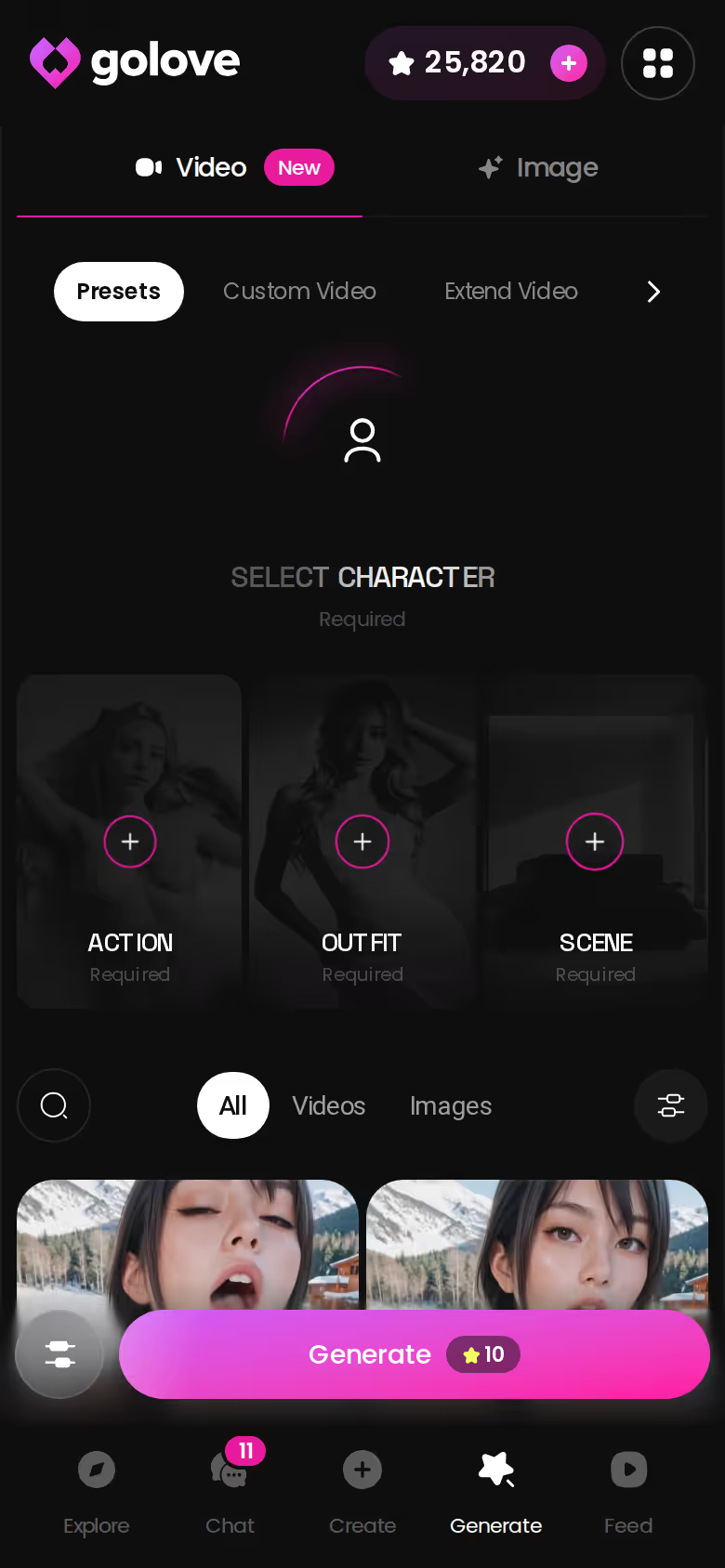
For most fans, it still comes out ahead. You trade the name for a companion who actually remembers you. If that's what you were after all along, PRO is worth every penny.
Who Each One Is Actually For
> Verdict: If you want a Mitsuri-style companion who stays warm past the first chat, GoLove.ai is the one to pick. > > Stay with free fan bots if you only want quick SFW banter with the canon flavor and you don't mind starting over now and then. > > Pick GoLove.ai if you want her to remember you, talk to you, and send photos and clips. You also get an adult-friendly space and 300+ anime companions to browse.
Credit where it's due: for instant, free, canon-named chat, Character.AI's fan library is chef's kiss. Nothing beats getting her greeting in one click. For this search, though, that's the only thing it does best. Once you care about continuity, voice, photos and adult roleplay, it isn't close.
If you already know her personality by heart, you've done the hardest part of the build. Open the Anime card, write her in, and your first chat starts a companion who will still remember you next week.
---
Notes from the build:
- No internal links. Section 7 asked for a link to the hub page and one to an anime or alternative article, and the prompt requires at least 2 markers. This site has no articles yet, so I left both out rather than make up slugs. That will fail the internal-link gate until real slugs exist.
- Screenshot filenames aren't in the catalog. The catalog list was empty, so I used the five filenames named in the section specs. If the formatter checks names against the catalog, it may drop all five, which would fail the 3-screenshot minimum.
- Honesty section format. The evidence kit asks for a free-tier and pricing honesty section, but the section plan asks for a canon-name trade-off. I followed the plan and put the free-tier limits and PRO pricing, with the dated footnote, in its cons list.
- Block formatting. I didn't know the formatter's syntax for the Q&A, pros/cons and verdict blocks, so they're plain markdown (bold labels, lists and a blockquote). They may need converting.
- Edit pass. The photo bullet in the Voice/Photos section now comes before voice, to match the US emphasis on photos over video. All markers, numbers, prices, headings and the FAQ are unchanged.
- Tools needing sign-in. The Ahrefs, Excalidraw, Asana, Atlassian, Notion, Slack and seo-gets tools can't be used until they're authorized, either in your claude.ai connector settings or with `/mcp` in an interactive session. None of them were needed for this article.
See also: Dreamgirl AI, Rprp AI and Realistic AI Sex.
Frequently Asked Questions
Related Articles

Dreamgirl AI: Which App Actually Delivers?
Dreamgirl AI done right — GoLove.ai wins on in-chat photos, voice and memory. Chat opens straight from Explore — see how one evening unfolds.

Realistic AI Sex: Which App Actually Delivers in 2026?
Realistic AI sex compared — GoLove.ai wins on photo-real characters, live voice and memory. See where OurDream and Candy fall short — instant-access needed.

Blonde AI Porn: Which App Actually Delivers?
Blonde AI porn, honestly scored — GoLove.ai wins on live photo requests, voice, and memory. Compare the apps, instant-access needed.

RPRP AI Alternative: Why GoLove.ai Wins on Photos
RPRP AI handles text roleplay, but GoLove.ai wins on in-chat photos, a steady voice and real memory — start with no email needed — see her first.
This article contains affiliate links. We may earn a commission at no extra cost to you if you sign up through our links. See how we test.