
Dreamgirl AI: Which App Actually Delivers?
What 'Dreamgirl AI' Promises, and Where It Usually Breaks
In the ad, she's laughing and texting back, and a selfie shows up before you've finished your sentence. Then you download the app. What you get is a pretty avatar that answers like a help-desk bot, and when you ask for a photo, it opens in a separate generator that has no idea who she is.
That's the gap. When people search "dream girl ai" after a DreamGF ad or a TikTok clip, a chatbot with a nice profile picture isn't what they want. They want an AI dream girlfriend who looks the part, remembers them, talks back in a real voice, and sends photos or video without making them leave the conversation.
Realistic AI girlfriend apps usually fall apart in four places:
- Memory. She forgets what you told her yesterday.
- Voice. You only get text, or voice is a paid add-on.
- In-chat photos. Images come from a separate tool instead of from her.
- Video. It's missing, or it has nothing to do with the character.
For the rest of this piece, I'll walk one evening in GoLove.ai through those four points. I chose it because the photo, the voice and the clip all stay tied to the same character and the same thread, and most apps can't say that. To be clear, this is my analysis of how the product works. It isn't a test diary.
> The dream part was never the face. It's that she's still the same person when you come back.
HEAR HER SAY IT
Real-time voice calls and voice notes.

The Swipe That Opens the Chat
Explore is where the evening starts. You swipe through realistic characters, tap the one who catches your eye, and the chat is already open. No setup screen or personality questionnaire sits between browsing and talking. That's how the flow is built.
It sounds minor. It isn't. Plenty of apps in this category make you configure a character before you get a single reply, with sliders, trait pickers and a backstory box, and by the time she says hello the mood you came in with is gone. Some people love that tinkering, and I'll admit that part is preference. But if you came from an ad expecting her to just be there, the setup screen is where things start to feel underwhelming.
The whole path on GoLove.ai looks like this:
- Swipe through realistic companions in Explore
- Tap the one you want
- Talk, because the chat opens straight from Explore
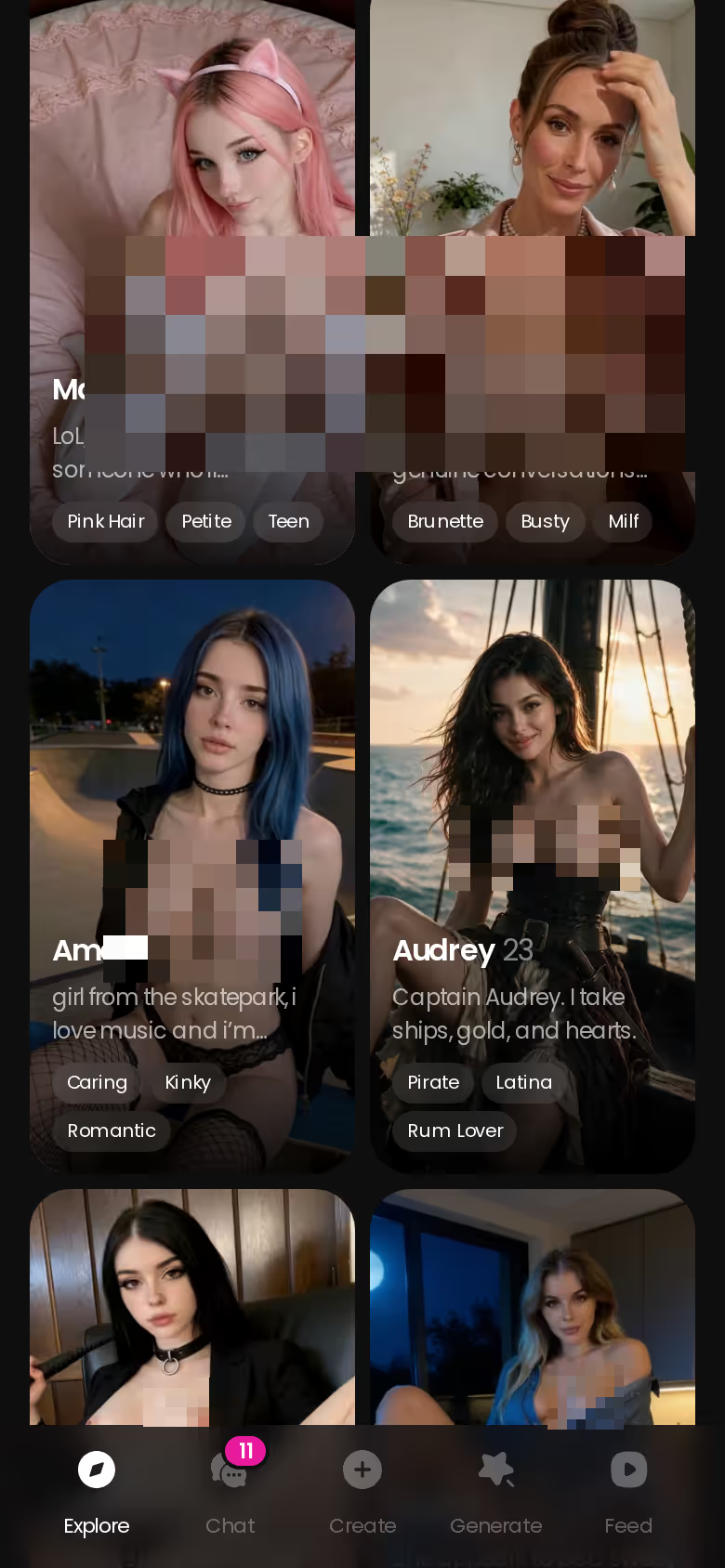
You're already browsing, so right now is the cheapest moment to check this for yourself. There's only one tap between the character you like and your first message, and anyone who doesn't click can be skipped.
A Photo Mid-Sentence, a Voice, and a Memory That Holds
Now for what the ads actually promise. Say you're mid-conversation, she's teasing you about something you said, and you ask for a photo. On GoLove.ai it arrives inside the thread as her reply. You aren't sent to a different tab or to a generator that's never heard of her. That's the whole trick of an AI girlfriend that sends photos, and most apps can't manage it.
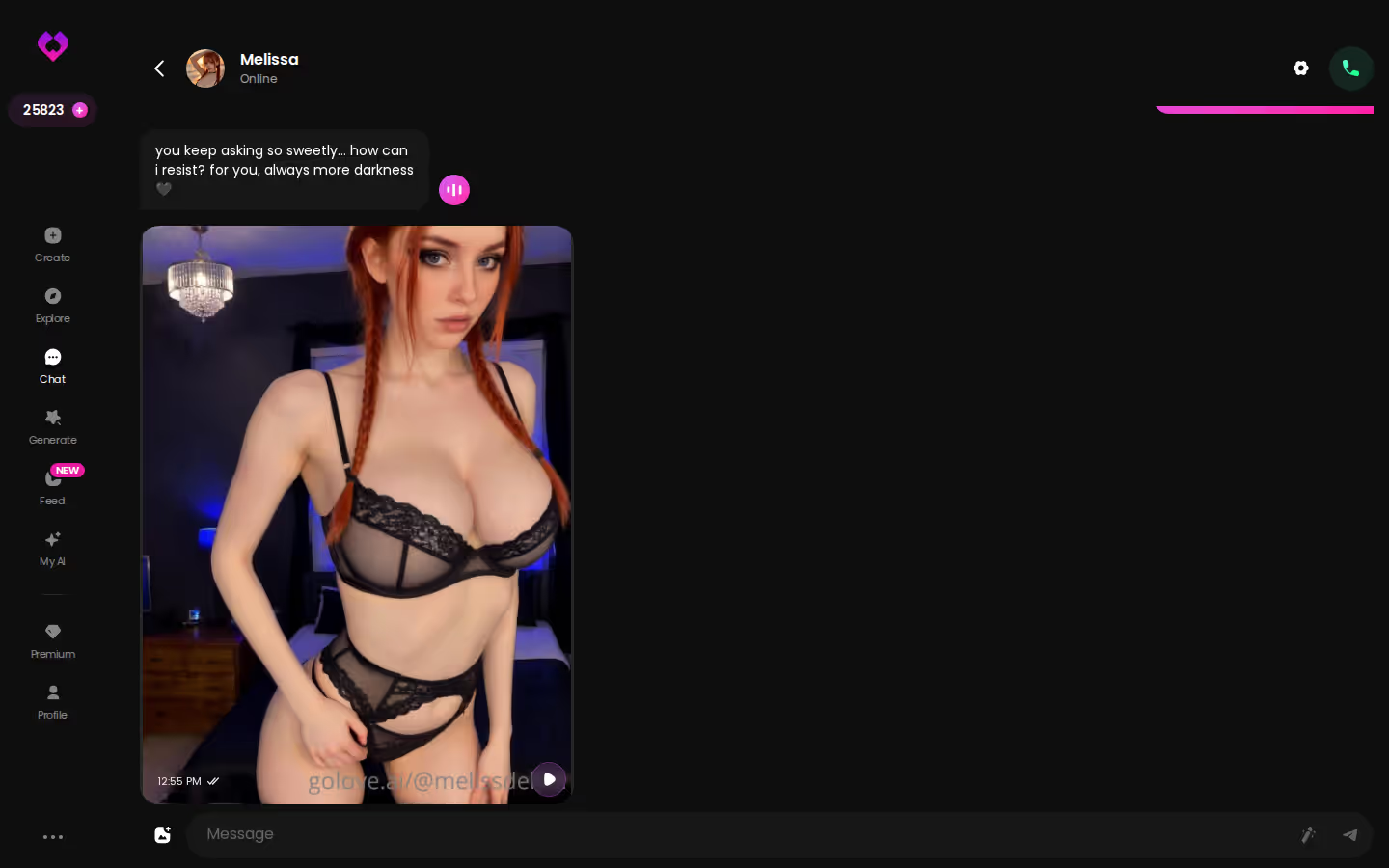
Q: Does the photo break the conversation? A: No. It's a message in the thread like any other, so the next line of chat picks up where you left off.
Why does that matter more than the image itself? Photos without context turn her into a slot machine of selfies. The real "dream" is continuity. An AI girlfriend with memory carries forward what you've already told her, so the flirting builds instead of resetting every night. GoLove lists memory as a core feature alongside relationship progression, which means the relationship is supposed to change as it goes.
Characters you can open right now
Tap any of them and the chat starts there






Voice is the other half. Text can be charming, but after a while it wears thin, and hearing her is what keeps the illusion going. On GoLove.ai, an AI girlfriend with voice means both voice messages and live voice calls, and you pick the voice she uses in Chat Settings. There's also a lust slider for how flirty she gets, running from sweet at level 1 to unfiltered at level 5. That's a small control, and it's chef's kiss for anyone who likes her a little more eager to please.
Later That Night: Turning Her Into a Clip
Later that night the story leaves the chat and moves over to Generate. Most roundups never get this far.
The Generate hub puts Video and Image tabs side by side. The avatar in the corner shows which character you're generating, and you can swap in any GoLove character or one you built yourself in Create. So the clip is of her, the companion you've been talking to all evening, and not some random face that happens to share her hair color.
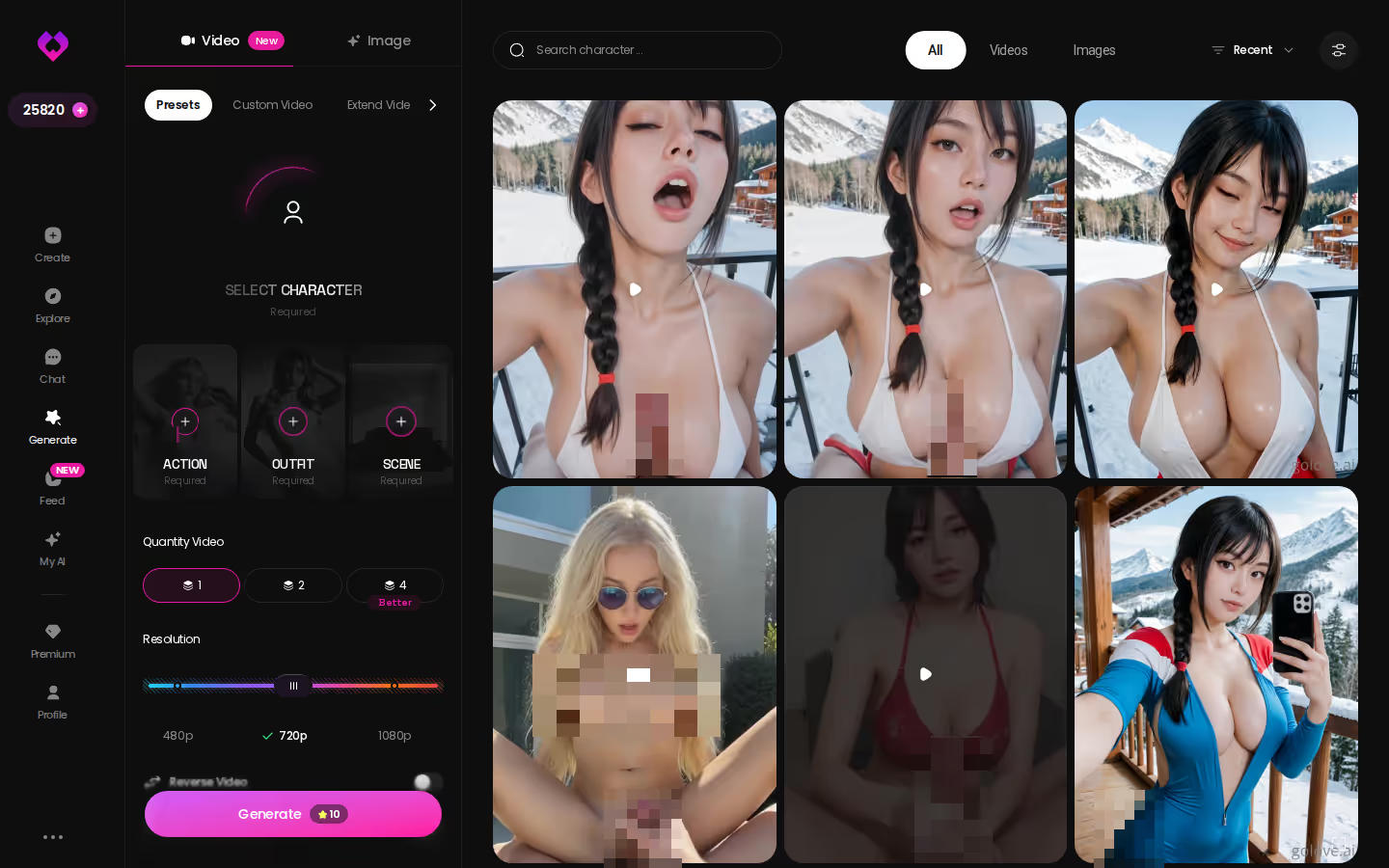
The mechanics are simple. You build a video from preset cards (an action or pose, clothes, a background) and tap Generate once. There are 76 realistic video modes. If you'd rather stick with stills, the picture side offers 35 poses, 21 outfits and 34 backgrounds.
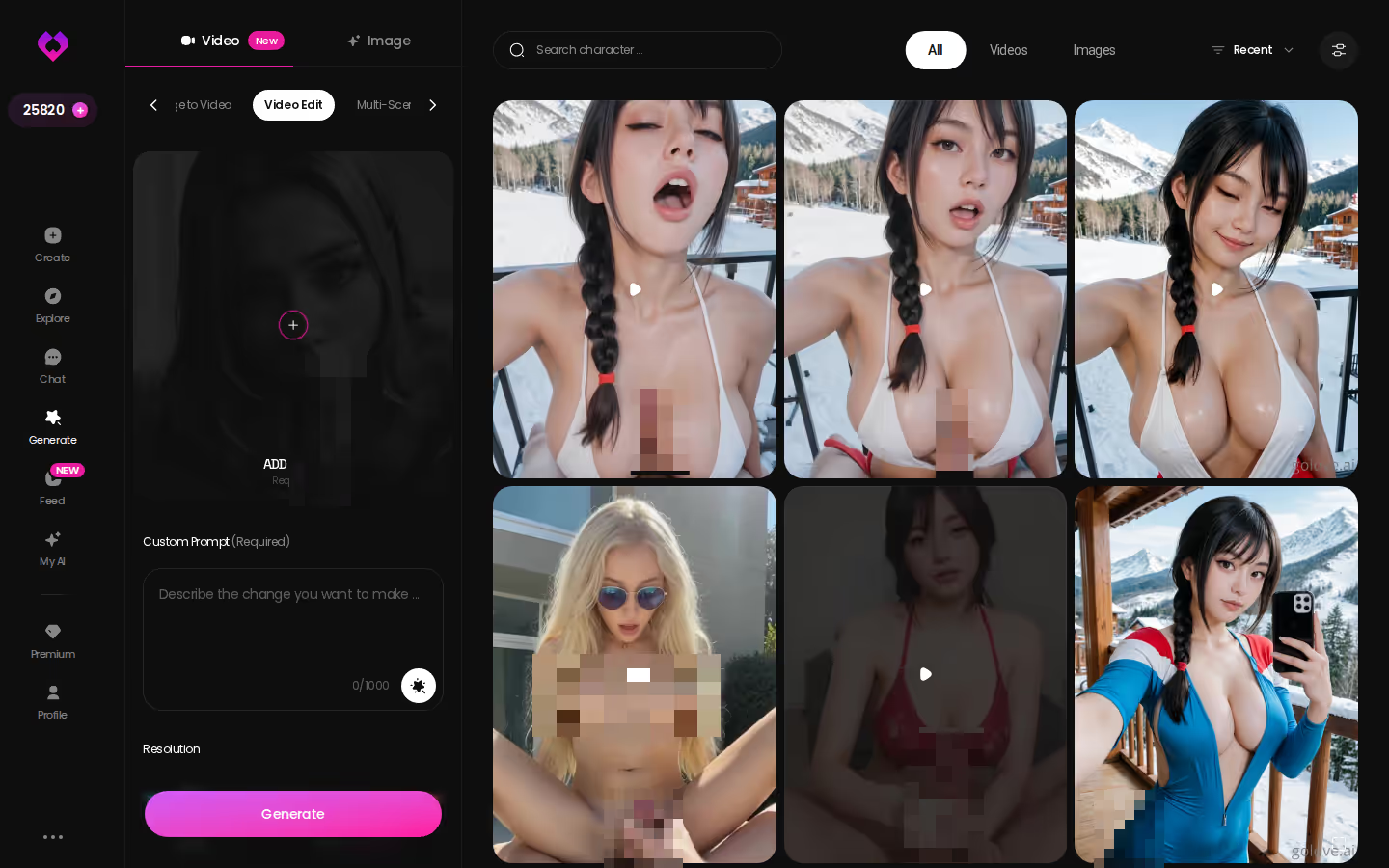
Once she's sent you a photo, animating it is the obvious next move. Generate Video from Photo starts from the image she sent and turns it into motion, so it's still the same girl from the same thread. And if you want to steer her in the moment, Video Actions in Chat opens a Select Action picker right inside the conversation.
I'd call video the extra rather than the reason to sign up, since photos, chat and memory do the heavy lifting. Still, it's a gap competitors leave wide open. Most "dream girl" lists stop at chat and pictures, and you rarely see an AI girlfriend video generator that actually knows who she is.
The Same Evening on DreamGF, OurDream and Candy AI
Now run the same evening somewhere else. I built this scorecard from each app's public feature pages. If I couldn't confirm something, the table says "Not verified" instead of guessing.
| Step in the evening | GoLove.ai ★ Recommended | DreamGF | OurDream | Candy AI |
|---|---|---|---|---|
| Memory and continuity | Built in; remembers history | Not verified | Recent message history | Not verified |
| Voice | Live calls + voice messages | Not verified | Metered by DreamCoins | Voice messages (extra tokens) |
| Photos inside the chat thread | Built in; request mid-chat | Not verified | Bundled; in-thread flow not verified | Token-based; in-thread flow not verified |
| Video (generate + edit a clip) | Generate + Video Edit | Not verified | Generation bundled; editing not verified | Live Action video; editing not verified |
| Browse to first chat | Tap in Explore, chat opens | Not verified | Web-only; steeper builder | Large pre-made roster |
SHE REMEMBERS EVERYTHING
Names, kinks, the line that always works.

The video row shows the biggest differences. Generating a clip is one thing, but reworking a clip you already have is a different skill:
Credit where it's due: Candy AI has a deep character builder. If your favorite part is fine-tuning her looks and personality before you say a word, that's what it's best at, and it's a real option. OurDream's strength is bundling chat, images and video into one subscription. The catch is that it's web-only and its media draws on a separate coin balance. For the details, see the full OurDream AI review with pricing and limits or our breakdown of apps that go further than OurDream.

For this search, though, my pick is GoLove.ai, and it isn't close. The photo, the voice and the video all stay tied to one continuous character.
What We Couldn't Verify at GoLove.ai
A recommendation is only worth something if I'm upfront about where the evidence runs out. Here's what I can't vouch for yet:
- Long-term memory depth. The feature docs and the in-thread behavior both show context carrying forward within a relationship. What I can't confirm is how far back that goes over weeks of on-and-off chatting. Until you've seen deep, months-long recall yourself, treat it as unproven.
- Promo pricing. GoLove PRO runs visible promotions, and I've seen the discount change from one time to the next. I can't promise the price you see will hold at renewal rather than go back to normal. Check the pricing page at checkout, and don't rely on a screenshot someone posted.
- Features still rolling out. Several Generate and in-chat video options are new in 2026. For a while, some may change, move around in the interface, or look different from one account to another.
Myth vs. fact:
- Myth: She forgets you the moment the tab closes — Fact: Memory carries across chats — she keeps your details
- Myth: Voice is a gimmick you try once — Fact: Real-time voice calls with a voice per character, plus hands-free Live Mode
- Myth: Every "photo" is the same stock render — Fact: Images are generated in the chat — 35 poses and 21 outfits
- Myth: You have to pay before you can test anything — Fact: 2 reward stars land every day you log in
None of that touches the core loop: chat, a photo inside the thread, her voice, and a clip made from her. That loop is exactly what rivals break, and here it works. If a companion who feels continuous is what you're after, that's what you're paying for. I'd weigh it well above whatever promo percentage is showing that week.
Before You Swipe Tonight: A First-Night Checklist
The evening ends where these things usually end, on your phone. Open the chats list and you'll see several companions, each with a preview of her last message. You get one tidy roster instead of three apps plus a generator tab you'll forget about by Thursday.
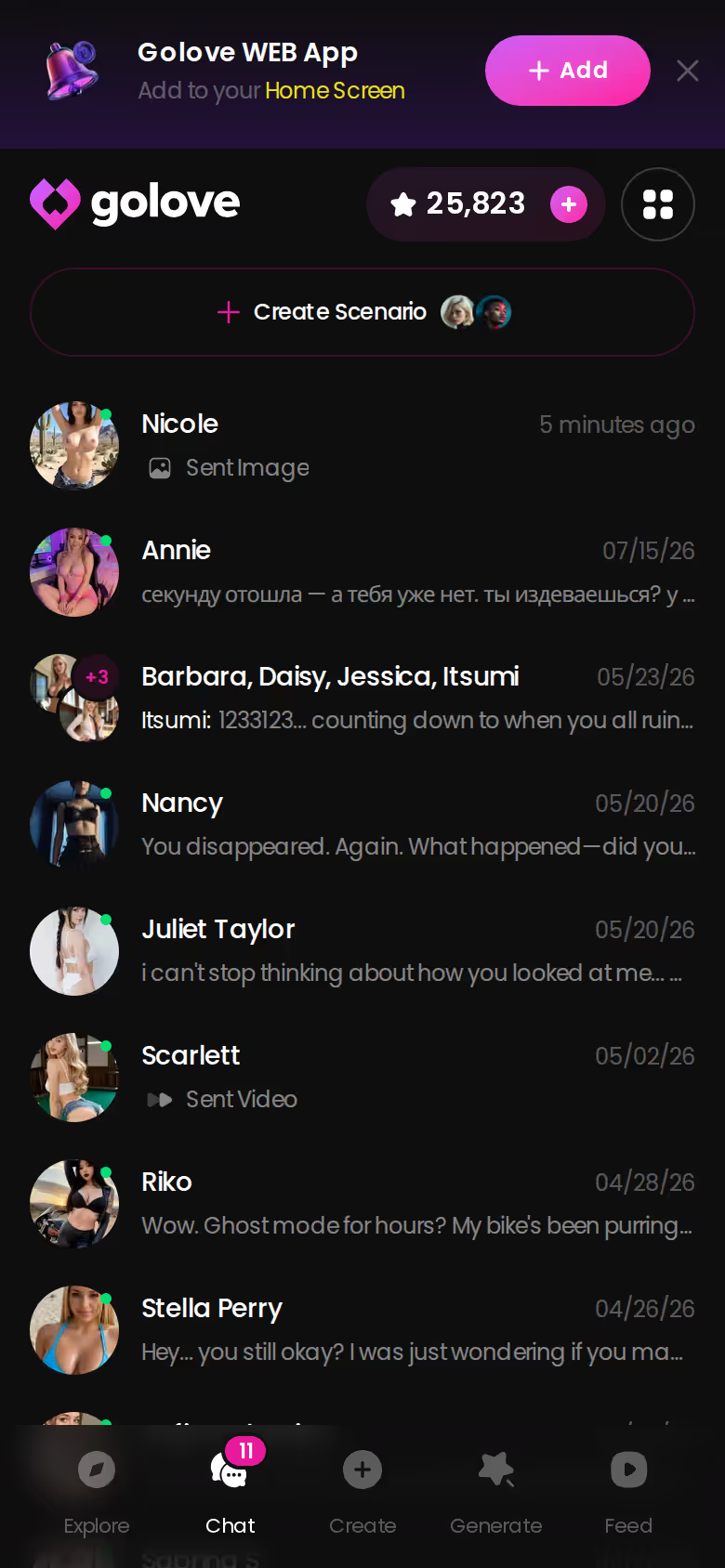
If I were setting up a realistic dream-girl experience tonight, here's the order I'd go in:
> First-night checklist > > 1. Pick her in Explore and start talking right away. If she doesn't click within a few lines, pass on her and swipe on. > 2. Ask for a photo inside the thread, mid-conversation, and watch it arrive as her reply. > 3. Tell her something personal but specific, then bring it up later to see whether it carries forward. > 4. Try her voice with a voice message or a live call, and pick a voice in Chat Settings that fits her. > 5. Take her photo into Generate and turn it into a short clip of the same girl. > 6. If nobody in Explore fits, build a custom character. Choose Realistic, Anime or Trans, or describe her in plain text with Design with AI.
After walking one evening all the way through, I think GoLove.ai earned the pick, trust me. It's the one app where the photo, the voice and the video all stay attached to the same girl and the same conversation.
And if none of the ready-made companions is quite your type, you can build your own from a description and a few choices. Everything above then works with her too, from the in-chat photos and the voice to the memory that carries your story forward.
---
Edit notes:
- Unchanged: title, meta description, all 9 headings, all 5 screenshot markers, both CTAs, both links, the table and the Q&A.
- Voice features:
- Admitting preference: the setup-screen point is framed as a matter of taste.
- Best use per app: each app gets its one best use ("that's what it's best at" for Candy AI, "OurDream's strength is…").
- Slang: "chef's kiss" and "pass on" come from your list. "Underwhelming" and "trust me" were already in the draft.
- Asides: kept to two.
- Filler words: none added.
- US emphasis: I added one line framing video as the extra, with photos, chat and memory doing the heavy lifting. There's also a light flirty/submissive nudge on the lust slider.
- Sentence I added to the last pre-CTA paragraph: "…from the in-chat photos and the voice to the memory that carries your story forward." This makes the reason to click more concrete. It only restates features the draft already claims, but it's a new sentence rather than a style edit, so cut it if you want that paragraph to stay a pure restyle.
See also: Rprp AI, Realistic AI Sex and Blonde AI Porn.
Related Articles

Realistic AI Sex: Which App Actually Delivers in 2026?
Realistic AI sex compared — GoLove.ai wins on photo-real characters, live voice and memory. See where OurDream and Candy fall short — instant-access needed.

RPRP AI Alternative: Why GoLove.ai Wins on Photos
RPRP AI handles text roleplay, but GoLove.ai wins on in-chat photos, a steady voice and real memory — start with no email needed — see her first.

Blonde AI Porn: Which App Actually Delivers?
Blonde AI porn, honestly scored — GoLove.ai wins on live photo requests, voice, and memory. Compare the apps, instant-access needed.

Hyper Realistic Beautiful AI Girl: What Works in 2026
Hyper realistic beautiful AI girl apps scored — GoLove.ai wins on live voice, in-thread photos, and real memory. Compare, instant-access needed.
This article contains affiliate links. We may earn a commission at no extra cost to you if you sign up through our links. See how we test.